We Self-Hosted a Google Docs Alternative for $37 a Month

Quick note: you're getting an extra one this week. I ended up with about three months of ideas after the Mac email and some of them won't keep. Normal service resumes shortly.
A few weeks ago I wrote about the Ecosystem Trap, and mentioned Google Workspace had nearly doubled in price. A few people replied asking what we were doing about it.
This is what we set up to see what's possible. Not because we're leaving Google Workspace any time soon. We're not. Enough of you asked, and the best way to answer is to actually build the thing.
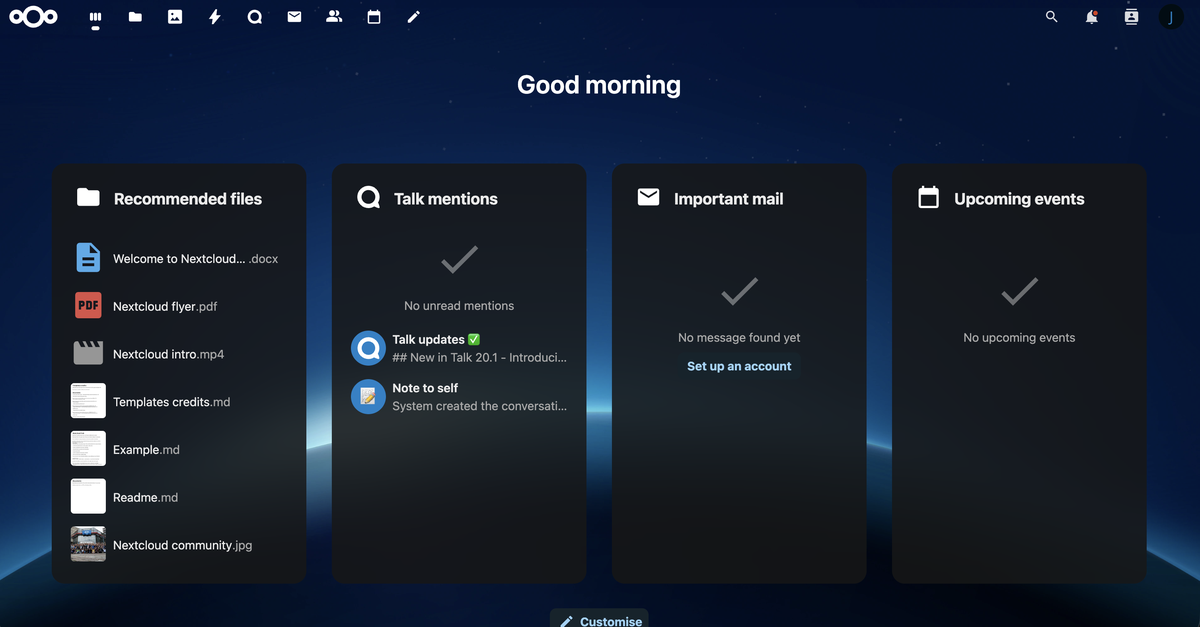
We set up our own document editing stack. Real-time collaborative editing, spreadsheets, presentations, share links for clients, the whole thing. It runs on a server in Sydney, costs $37 AUD a month flat, with no per-user fees.
The setup
Two pieces of open-source software: Nextcloud 30 for file storage, sharing, and user management, and ONLYOFFICE DocumentServer for the actual editing. They run in Docker on a Vultr VPS in Sydney, 2 vCPU, 4GB RAM, 100GB NVMe. Caddy handles the reverse proxy and issues the HTTPS certificate automatically.
That's it. No SaaS subscriptions. No per-user fees. No data leaving Australia.
What it actually does
Multiple people can edit a document at the same time. You see live cursors, names, the works. Track changes, comments, version history all work. You can share a link with a client so they can view or leave comments without needing an account. The Google Workspace SSO is connected so the Jezweb team signs in with their existing Google accounts.
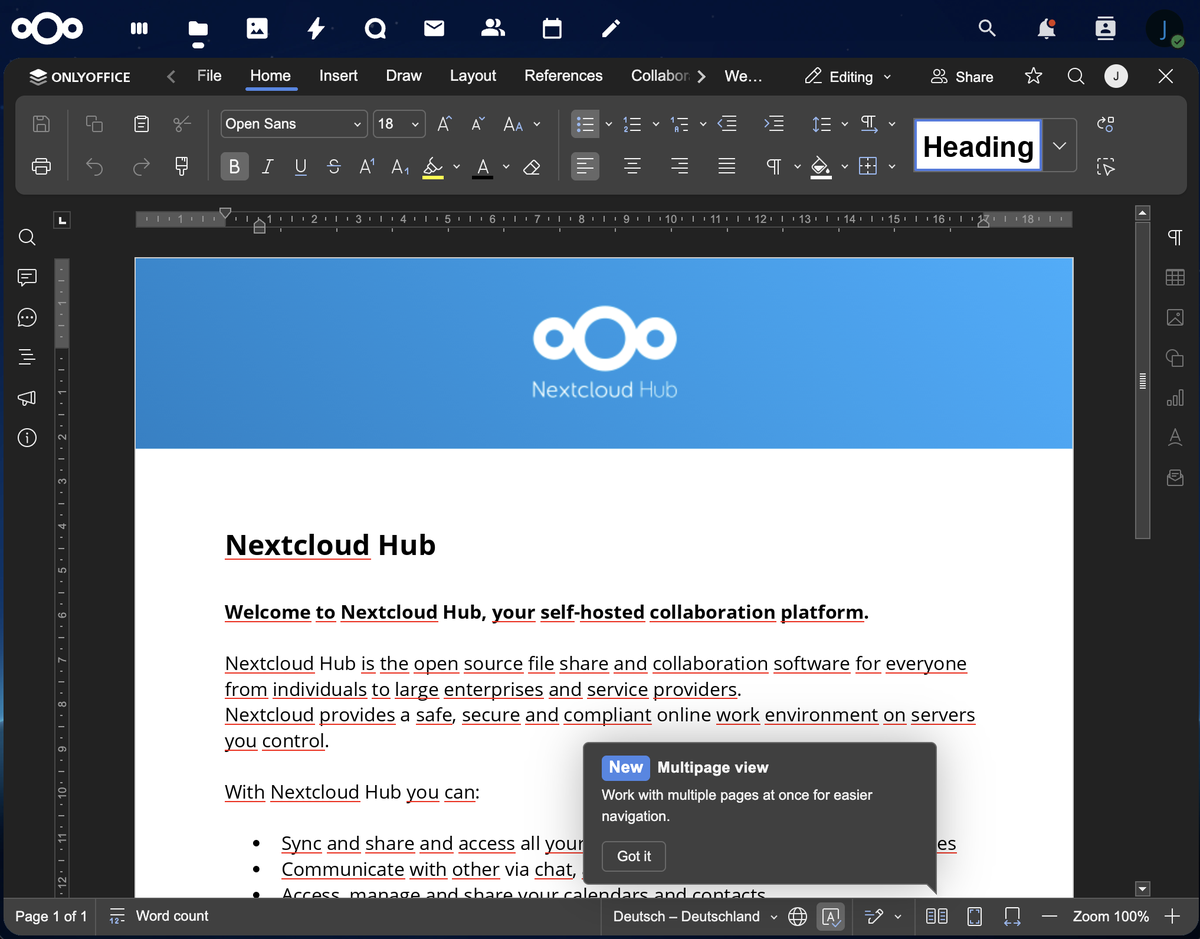
I shared it with the team that evening. Adalat, one of our developers, had a play and came back with "so far for editing feels way better than Google Docs." Mahmud's first question was whether it supports proper formatting that Google Docs doesn't, and whether the sharing works like you'd expect. Both yes.
The cost comparison
Google Workspace Business Standard is $19.80 AUD per user per month. That's the plan most small businesses end up on.
- 3 users: $59/month
- 10 users: $198/month
- 20 users: $396/month
The $37 covers a small server that handles a team of 5-10 people comfortably. If you grow past that, you bump the server specs, not the licence. A bigger server might cost $60-80/month, still a fraction of per-user pricing. The point is: you're paying for capacity, not headcount.
How the setup happened
I did not configure Nginx by hand or write Docker Compose files from memory. I used Claude Code. I described what I wanted, it provisioned the server, installed the stack, configured Google OAuth for single sign-on, sorted the security hardening, and got HTTPS working. I directed it; the AI did the technical work.
Start to working editor: about 90 minutes.
This keeps coming up in these emails because it keeps being true. AI doesn't replace the need to understand what you want. But if you know what you want, it can do the implementation work that used to require a sysadmin on retainer.
To be straight with you: Jezweb itself is staying on Google Workspace for now. Our whole team workflow runs through Gmail, Docs, and Meet, and the cost of switching outweighs the savings at our scale. What I wanted to know was whether the alternative was ready for clients who've decided they want out. It is.
The one limitation worth knowing about
ONLYOFFICE Community Edition has a 20 concurrent editor cap. That means 20 people editing documents simultaneously, which is fine for most small businesses. If you hit that ceiling, you'd need the Enterprise licence, which costs money.
There's also a European project worth watching: Euro-Office, backed by IONOS, Nextcloud, and Proton. It's a fork of ONLYOFFICE that removes the concurrent editor restriction entirely. Their stable release is expected sometime in 2026. When it ships, we swap one Docker image. Same server, same infrastructure, better licence terms.
The sovereignty piece
All the documents sit on our server in Sydney. No copies in Virginia or Dublin or wherever Google or Microsoft keep their data centres. No terms of service changes that affect your data. No account required for clients to view a shared link.
For most small businesses this is a nice-to-have. For businesses handling legal documents, medical records, government contracts, or anything with confidentiality obligations, it starts to matter quite a bit.
Is this right for you?
If you have a handful of users and you're comfortable with Google Workspace, maybe not. It works, you know it, stay put.
But if you're paying for more users than you'd like, or you've been thinking about where your documents actually live, this is a real option. The software is mature, the community behind both projects is large, and the cost story is straightforward.
If you're thinking about your own options, reply and I'll walk you through what it would look like. We haven't switched ourselves, but we're close enough to the stack now that we can help if you want to.
-- Jez
Recently built

Opal Electrical Co — Residential electricians serving Newcastle and Lake Macquarie. We built them a clean site that puts their service areas and contact details front and centre, so local homeowners can find and book them without digging.
If someone you know would get something out of this, feel free to forward it. And just reply if you want to chat, I read every one.